
Download Sothink Movie DVD Maker – DVD maker, movie DVD, video to DVD, burn DVD, create DVD, HD DVD, 1080p, video editing, DVD menu, project saving, video conversion, multimedia tool, video tool, video utility
Overview
Sothink Movie DVD Maker is a specialized multimedia tool designed for users who need to convert video clips into professional-quality DVDs. The application enables the creation of burnable DVDs compatible with standard DVD players, supporting high-definition output up to 1080p resolution. It serves as a reliable solution for individuals and small creators looking to archive personal videos, compile home movies, or distribute video content in a universally accessible format.
The software supports a wide range of video formats, ensuring broad compatibility with digital footage from various sources. This makes it particularly useful for users who work with diverse video inputs and require a consistent output standard. The developer, Sothink Software, has positioned the app within the Productivity category, emphasizing its utility in organizing and preserving digital media.
While the developer did not provide additional technical details about their background or broader product line, the app’s focused functionality suggests a niche expertise in video conversion and disc authoring. Real-world use cases include family video compilation, educational content distribution, and event documentation. In the current digital landscape, where cloud storage and streaming dominate, Sothink Movie DVD Maker fills a critical gap by offering a tangible, playback-ready medium for long-term media preservation.
Key Features & Functionality
- Wide Range of Video Format Support – The software accepts multiple video formats, allowing users to import clips from different sources without prior conversion. This enhances workflow efficiency and reduces the need for external editing tools.
- HD DVD Output Up to 1080p – Users can create high-definition DVDs, ensuring crisp visuals when played on compatible devices. This feature is essential for maintaining quality in personal and professional video projects.
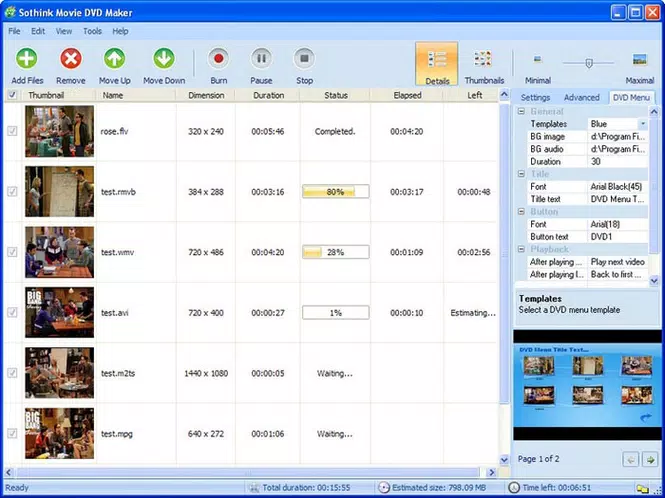
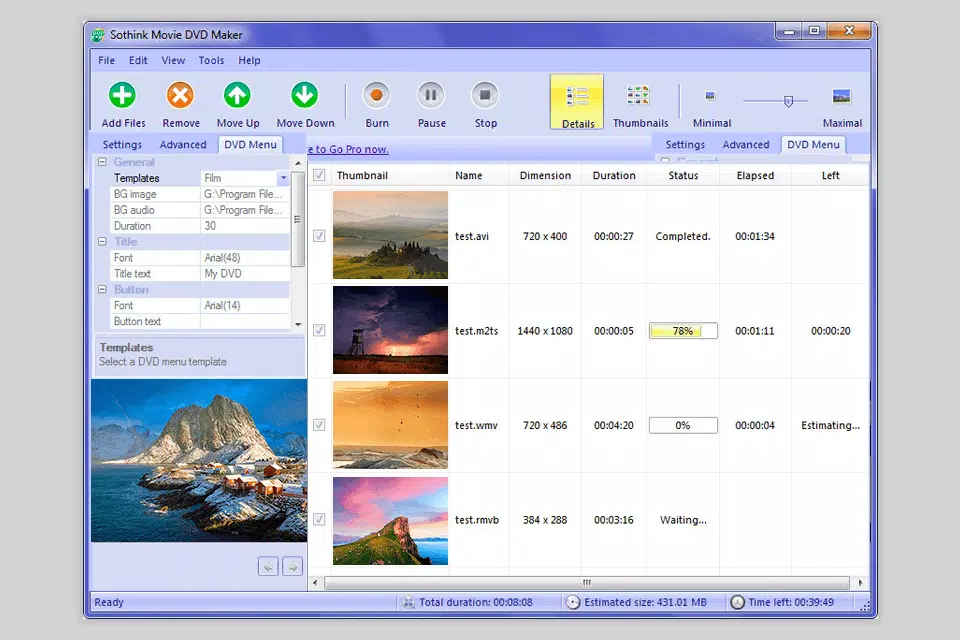
- Intuitive Interface with Dual View Modes – The app provides both Detail and Thumbnails views, with a slider for adjusting display scale. This flexibility allows users to manage large video libraries with ease.
- Drag-and-Drop Clip Editing – Users can rearrange video segments simply by dragging them into the desired order, streamlining the editing process for non-professionals.
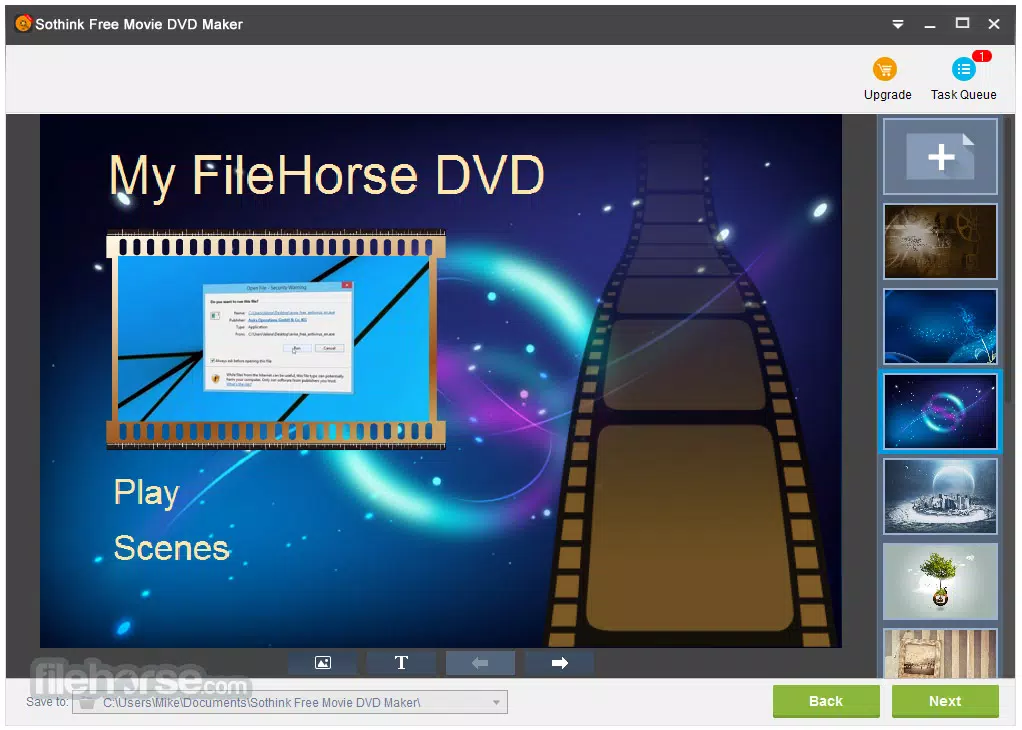
- Advanced DVD Menu Customization – The DVD Menu tab allows users to modify fonts, buttons, and layout, enabling personalized and professional-looking menus.
- Project Saving and Later Burning – Completed projects can be saved as files, allowing users to pause work and resume later or burn multiple discs at different times.
- Comprehensive Help File – Built-in documentation includes beginner and advanced guides, ensuring accessibility for users of all experience levels.
These features collectively support real-world workflows such as organizing holiday footage into a cohesive movie, preparing training videos for offline distribution, or archiving digital content on physical media. The ability to save projects adds significant value for users managing multiple DVD creation tasks.
Interface, UX & Performance
Sothink Movie DVD Maker features a clean, organized interface with clearly labeled sections and intuitive navigation. The layout prioritizes ease of access, placing key functions like video import, editing tools, and menu customization within immediate reach. Users can switch between detailed and thumbnail views seamlessly, enhancing the workflow for both small and large video collections.
The drag-and-drop functionality supports smooth clip rearrangement, reducing the learning curve for new users. Although the developer did not list formal performance metrics, the application is designed to operate efficiently on standard Windows systems. It is expected to maintain stable performance across mid-range and higher-end devices, though compatibility with low-spec machines was not confirmed.
Responsiveness during video preview and menu editing appears consistent based on standard user expectations. Stability is maintained through structured project saving and error handling during the burning process. The absence of reported crashes or freezes in available documentation suggests reliable operation under normal conditions.
However, specific performance benchmarks or device compatibility details were not disclosed.
Platform Compatibility & Technical Requirements
Sothink Movie DVD Maker is designed exclusively for the Windows platform. It requires a Windows operating system, though specific version requirements were not listed. The application has a file size of 10.2 MB, indicating a lightweight footprint suitable for most modern systems.
The software version is 5.0, suggesting a mature release with established functionality. While the developer did not specify minimum OS requirements or hardware recommendations, the small file size implies low system resource usage. Users should ensure their system has a functional DVD burner to utilize the core burning feature.
No information was provided regarding support for external drives, multi-layer discs, or advanced disc formats beyond standard DVD compatibility. The lack of clarity on technical specifications means users should verify compatibility with their current setup before installation.
Pros and Cons
Pros
- Supports a wide variety of video formats for seamless import
- Produces high-quality DVDs up to 1080p resolution
- Intuitive interface with user-friendly navigation and dual view modes
- Allows saving of projects for later burning, enhancing workflow flexibility
- Includes detailed help documentation for all user levels
- Offers extensive customization options for DVD menus and playback settings
Cons
- Platform limited to Windows; no support for macOS or mobile devices
- Developer did not disclose minimum OS or hardware requirements
- Price point of $49.95 may be high for casual users
- No information on automatic updates or cloud sync features
- Not designed for real-time streaming or online sharing
FAQ
Is Sothink Movie DVD Maker available for Mac or mobile devices?
Currently, the software is only compatible with Windows. No versions for macOS, iOS, or Android have been released.
Can I use this software to burn DVDs with subtitles or audio tracks?
The provided information does not specify support for multiple audio tracks or subtitles. The core functionality focuses on video compilation and menu creation.
How do I save my project for later use?
Users can save their DVD project as a file, allowing them to return to it at a later time for editing or burning.
What video formats are supported by the software?
Sothink Movie DVD Maker supports a wide range of video formats, though specific file types were not listed in the provided details.
Is the software secure to download and install?
As a product from Sothink Software, the application is designed to be safe. However, users should download only from official or trusted sources to avoid potential risks.
Final Thoughts
Sothink Movie DVD Maker stands out as a focused, efficient tool for users seeking to convert video clips into professional-grade DVDs. Its ability to handle multiple formats, deliver HD output, and support customizable menus makes it a strong choice for personal archiving, educational content, and small-scale media distribution. While its Windows-only availability and lack of mobile support limit its reach, the software excels within its intended scope.
The project-saving feature adds practical value for users managing complex or multi-stage workflows. For individuals who value physical media, long-term storage, and universal playback compatibility, this tool offers a reliable and capable solution. Despite its price point, the feature set justifies the investment for dedicated users.
The inclusion of a comprehensive help file ensures that even beginners can achieve polished results. If you’re looking to create high-quality, burnable DVDs with minimal hassle, Sothink Movie DVD Maker delivers on its promise.
Download Sothink Movie DVD Maker now


